In this guide, you’ll learn whether car GPS systems require an internet connection for accurate navigation. We’ll discuss how GPS works, the advantages and disadvantages of internet connectivity, and provide practical tips for navigating without a data plan.
Key Takeaways
- Understanding GPS: Car GPS relies on satellites for location tracking, not the internet.
- Offline Navigation: Many GPS devices allow for offline maps, reducing the need for internet.
- Data Usage: Live traffic updates and rerouting require internet to function effectively.
- Backup Options: Download maps beforehand to ensure navigation without connection.
- Smartphone Integration: Many smartphones offer both offline and online navigation options.
- Battery Considerations: Using GPS without internet can save battery life on devices.
- Future Trends: Expect advancements in GPS technology to reduce dependency on internet connectivity.
Do Car GPS Need Internet Connection for Accurate Navigation
Have you ever wondered if your car GPS needs an internet connection? With the rise of smartphones and internet-enabled devices, it’s a common question among drivers. In this guide, we’ll explore how car GPS systems function, the role of internet connectivity, and what it means for your navigation experience. By the end, you’ll know if you can rely solely on your GPS without an internet connection.
How GPS Works
GPS stands for Global Positioning System. It uses a network of satellites that orbit the Earth to determine your exact location. Here’s how it works:
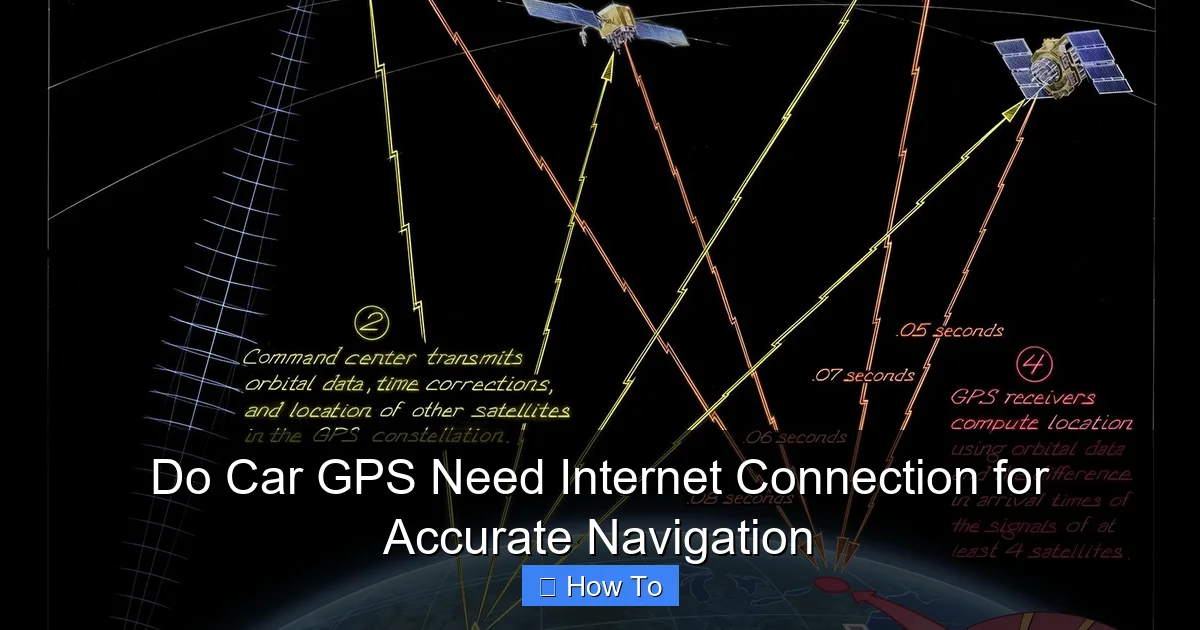
Visual guide about Do Car GPS Need Internet Connection for Accurate Navigation
Image source: timeandnavigation.si.edu
Satellite Connectivity
Your GPS device receives signals from multiple satellites to triangulate your position. At least four satellites are typically needed for accurate positioning. This process does not require an internet connection; it only needs a clear view of the sky.
Map Data
The maps stored on your GPS device are crucial for navigation. If you have offline maps, you can navigate without internet. However, if your maps are outdated, you may not find the most efficient routes.
Do You Need Internet for Navigation?
It depends on what features you want. Here are the scenarios:
Using Offline GPS
Many GPS devices and apps allow you to download maps for offline use. This means you can navigate without an internet connection. Some popular GPS devices include:
- Garmin: Offers devices with preloaded maps that can be used offline.
- TomTom: Allows users to download maps for specific regions.
- Smartphones: Apps like Google Maps and Waze let you save maps offline.
When Internet is Essential
While offline GPS is handy, there are features that require an internet connection. These include:
- Live Traffic Updates: Provides real-time traffic information to avoid congestion.
- Rerouting: Automatically recalculates your route based on current conditions.
- Search Functions: Finding points of interest, like restaurants or gas stations, requires internet access.
Practical Tips for Offline Navigation
If you plan to navigate without an internet connection, here are some tips to ensure you get where you’re going:
Download Maps in Advance
Before your trip, download maps of the areas you’ll be traveling through. Most GPS devices and smartphone apps allow you to do this easily. Make sure you have the latest updates to avoid any inaccuracies.
Use a Device with Good Battery Life
Offline GPS can consume battery life, especially if you’re using a smartphone. Consider using a dedicated GPS device or carrying a power bank for your phone.
Check for Software Updates
Before heading out, make sure your GPS device has the latest software updates. This can help improve performance and ensure you have the most recent maps.
Troubleshooting Common Issues
Sometimes, navigation issues can arise, whether you’re online or offline. Here are some common problems and solutions:
Weak Satellite Signal
If your GPS isn’t working well, it might be due to a weak signal. Make sure you have a clear view of the sky. Tall buildings, tunnels, and heavy foliage can interfere with satellite signals.
Outdated Maps
If you’re using an offline map and find that some roads are missing, it may be due to outdated maps. Regularly check for updates when you have internet access.
Battery Drain
If your device is losing battery rapidly, consider reducing screen brightness or closing background apps. For smartphones, using airplane mode can also help conserve battery while still allowing GPS to function.
Conclusion
In conclusion, car GPS systems do not necessarily need an internet connection for accurate navigation, as they primarily rely on satellite signals. However, having internet access can enhance your navigation experience with features like live traffic updates and rerouting. By understanding how your GPS works and preparing ahead of time, you can navigate confidently, whether you’re connected or not. Always remember to download your maps ahead of time, check for updates, and enjoy the journey!
🎥 Related Video: car GPS navigation install #viral #new #video #shots #ytshots #car #super #modified #sonucarremix
📺 Sonu Car Remix Car Android King Banda Mahadev ka
