
In this guide, you will learn whether OBD2 scanners work on all cars or only specific models. We’ll cover the basics of OBD2 technology, compatibility factors, and tips for choosing the right scanner for your needs. Get ready to dive into the world of automotive diagnostics!
Key Takeaways
- OBD2 Standard: The OBD2 standard was introduced in 1996 and is applicable to most cars and trucks sold in the U.S.
- Compatibility Issues: Not all vehicles support OBD2; some older models and certain makes may use different diagnostic protocols.
- Scanner Types: There are various types of OBD2 scanners, ranging from basic code readers to advanced diagnostic tools.
- Functionality Limits: While OBD2 scanners read trouble codes, they may not access all vehicle systems, especially in older or non-OBD2 compliant cars.
- Choosing the Right Scanner: Consider vehicle compatibility, features, and your personal needs when selecting an OBD2 scanner.
- DIY Troubleshooting: OBD2 scanners empower car owners to diagnose issues without a mechanic, saving time and money.
- Future-Proofing: Investing in a good quality OBD2 scanner can benefit you for years, as vehicles become increasingly tech-savvy.
Do OBD2 Scanners Work on All Cars or Just Some Models?
In the world of car maintenance and diagnostics, the OBD2 scanner has emerged as an essential tool for mechanics and DIY car enthusiasts alike. But with so many vehicles on the road, a common question arises: Do OBD2 scanners work on all cars or just some models? In this guide, we’ll explore the ins and outs of OBD2 technology, its compatibility with various vehicles, and how to choose the right scanner for your needs.
Understanding OBD2 Technology
The On-Board Diagnostics (OBD) system is a standardized method for monitoring the performance of a vehicle’s engine and other essential systems. The second generation, OBD2, was mandated for all cars sold in the U.S. from 1996 onwards. This system allows drivers and technicians to access data about the vehicle’s health and performance.
Visual guide about Do OBD2 Scanners Work on All Cars or Just Some Models
Image source: motorbiscuit.com
How OBD2 Works
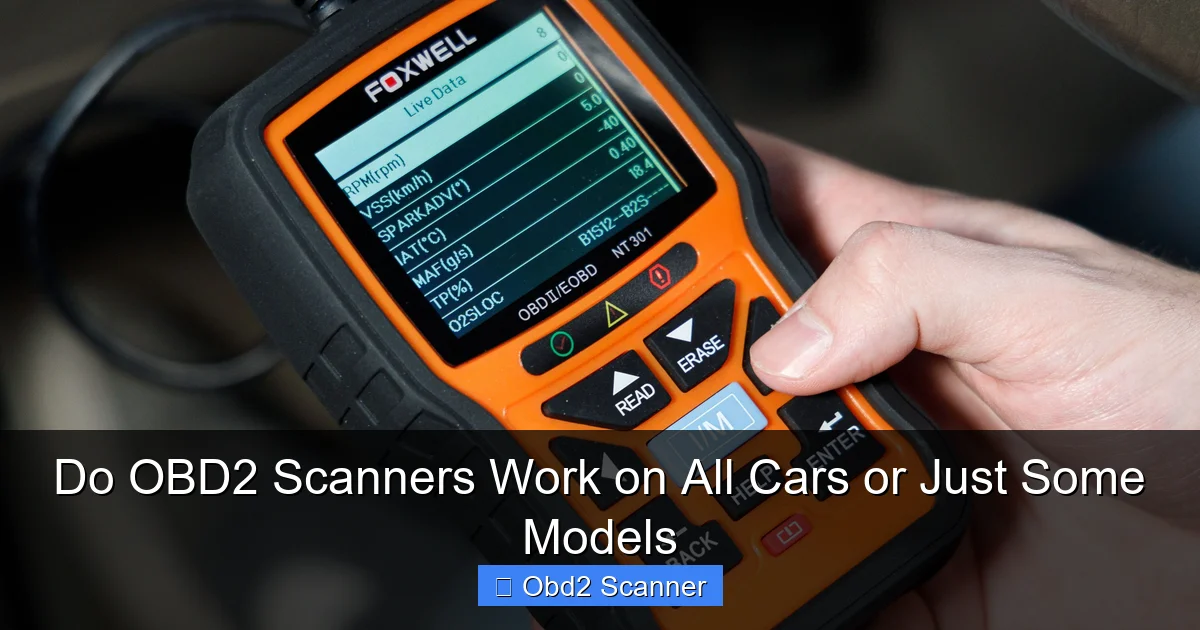
When you connect an OBD2 scanner to your vehicle’s diagnostic port, it communicates with the car’s computer system. This interaction allows the scanner to read diagnostic trouble codes (DTCs), which indicate specific issues within the vehicle. Additionally, OBD2 scanners can provide real-time data such as engine RPM, vehicle speed, and fuel trim levels.
Do All Cars Support OBD2?
While the OBD2 standard is prevalent, it does not apply to every vehicle. To understand which cars support OBD2, let’s break it down further.
Visual guide about Do OBD2 Scanners Work on All Cars or Just Some Models
Image source: hips.hearstapps.com
Vehicles Covered by OBD2
In general, the following vehicles are OBD2 compliant:
- All cars manufactured in the U.S. after 1996.
- Light trucks and SUVs produced after 1996.
- Most gasoline-powered vehicles manufactured in the European Union from 2001 onward.
- Diesel vehicles over 3.5 tons that were manufactured after 2004 in the EU.
Vehicles Not Covered by OBD2
Some vehicles are not OBD2 compliant, including:
- Cars manufactured before 1996.
- Some specialty vehicles, such as classic cars or some imported models.
- Certain heavy-duty vehicles that may use different diagnostic systems.
Common Compatibility Issues
Even if your vehicle is OBD2 compliant, you may still encounter some compatibility issues based on the make and model of your car. Here are a few common factors to consider:
Visual guide about Do OBD2 Scanners Work on All Cars or Just Some Models
Image source: x-telcom.com
Manufacturer-Specific Protocols
Some manufacturers use proprietary protocols that may not be fully supported by generic OBD2 scanners. For instance, luxury brands may require specialized diagnostic tools to access all vehicle systems.
Vehicle Age and Technology
Older vehicles, even if OBD2 compliant, might not support all the advanced features offered by modern scanners. If you’re driving a vehicle from the early 2000s, be aware that your scanner may not provide the same level of detail as it would for a newer model.
Choosing the Right OBD2 Scanner
When looking for an OBD2 scanner, it’s essential to consider several factors. Here’s a step-by-step guide to help you choose the best one for your needs:
Step 1: Determine Your Vehicle’s Compatibility
Check if your vehicle is OBD2 compliant. Look for the OBD2 port, typically located under the dashboard near the driver’s seat. If your car was manufactured after 1996, it likely supports OBD2.
Step 2: Assess Your Needs
Identify what you want to achieve with the scanner. Do you need a simple code reader for occasional checks, or a more advanced tool for in-depth diagnostics? Your needs will dictate the type of scanner you should purchase.
Step 3: Research Scanner Features
Look for features such as:
- Live data streaming
- Code freeze frame data
- Diagnostic tests for specific systems (ABS, SRS, etc.)
- Bluetooth/Wi-Fi connectivity for mobile app integration
- Update capability for new vehicle protocols
Step 4: Read Reviews and Recommendations
Before making a purchase, take the time to read reviews from other users. Look for feedback on compatibility, ease of use, and customer support. This will help you make an informed decision.
Step 5: Consider Your Budget
OBD2 scanners come in a wide range of prices. Set a budget that aligns with your needs, but remember that investing in a quality scanner can save you money in the long run by allowing you to diagnose issues yourself.
Practical Tips for Using OBD2 Scanners
Once you’ve chosen your OBD2 scanner, here are some practical tips to get the most out of it:
Connect Properly
Always connect the scanner to the OBD2 port with the vehicle turned off. After connecting, turn the ignition to the “on” position without starting the engine.
Clear Codes Wisely
Clearing codes is a useful feature, but be cautious. If you clear a code without fixing the underlying issue, the warning light may return.
Consult the Manual
Every scanner comes with a user manual. Familiarize yourself with it to understand all features and functions.
Regular Updates
Keep your scanner updated to ensure compatibility with new vehicle models and protocols. Many scanners offer software updates via the manufacturer’s website.
Troubleshooting Common Issues
While using an OBD2 scanner can be straightforward, there might be times when you encounter issues. Here are some troubleshooting tips:
No Communication
If your scanner shows “No Communication,” check the following:
- Ensure the ignition is in the “on” position.
- Check the OBD2 connector for damage or dirt.
- Verify that your vehicle is OBD2 compliant.
Inaccurate Readings
If the scanner provides strange or inaccurate readings, try:
- Restarting the vehicle.
- Checking for software updates for your scanner.
- Reconnecting the scanner to the OBD2 port.
Conclusion
In conclusion, OBD2 scanners are invaluable tools for diagnosing vehicle issues, but they are not universally compatible with all cars. Understanding your vehicle’s compatibility, choosing the right scanner, and knowing how to use it effectively can empower you to take control of your car’s maintenance. Whether you are a seasoned mechanic or a DIY novice, an OBD2 scanner can be a great asset in keeping your vehicle running smoothly. Happy scanning!
🎥 Related Video: How to Use an OBD2 Scan Tool
📺 EasyAutoFix
OBD2 Scanner: https://amzn.to/4jdzrUc ▶︎ Check Out ALLDATA Manuals: …
