
Understanding how a car GPS works can significantly enhance your driving experience. This guide delves into the technology behind GPS systems, including how they utilize satellites for navigation and tips for effective use.
Key Takeaways
- Understanding GPS Technology: Car GPS relies on a network of satellites that send signals to your device to determine your location.
- How Positioning Works: GPS uses triangulation to pinpoint your exact location based on signals from multiple satellites.
- Mapping Data: A car GPS requires up-to-date maps to provide accurate navigation, which can be updated periodically.
- Real-Time Navigation: GPS devices offer real-time traffic updates and route adjustments to optimize your travel time.
- Common Features: Many GPS units include features like voice guidance, points of interest, and customizable routes.
- Troubleshooting Tips: If your GPS is not working correctly, check for signal obstructions and ensure your software is updated.
- Safety Considerations: Always set up your GPS before starting your journey to minimize distractions while driving.
Understanding How Does a Car GPS Work for Easy Navigation
Have you ever wondered how a car GPS helps you find your way? Understanding how a car GPS works can significantly enhance your driving experience. This guide will explain the technology behind GPS systems, how they determine your location, and practical tips for using them effectively.
What Is a Car GPS?
A car GPS (Global Positioning System) is a navigation device that uses satellite signals to determine your location and guide you to your destination. It is a crucial tool for drivers, providing turn-by-turn directions and real-time traffic updates.
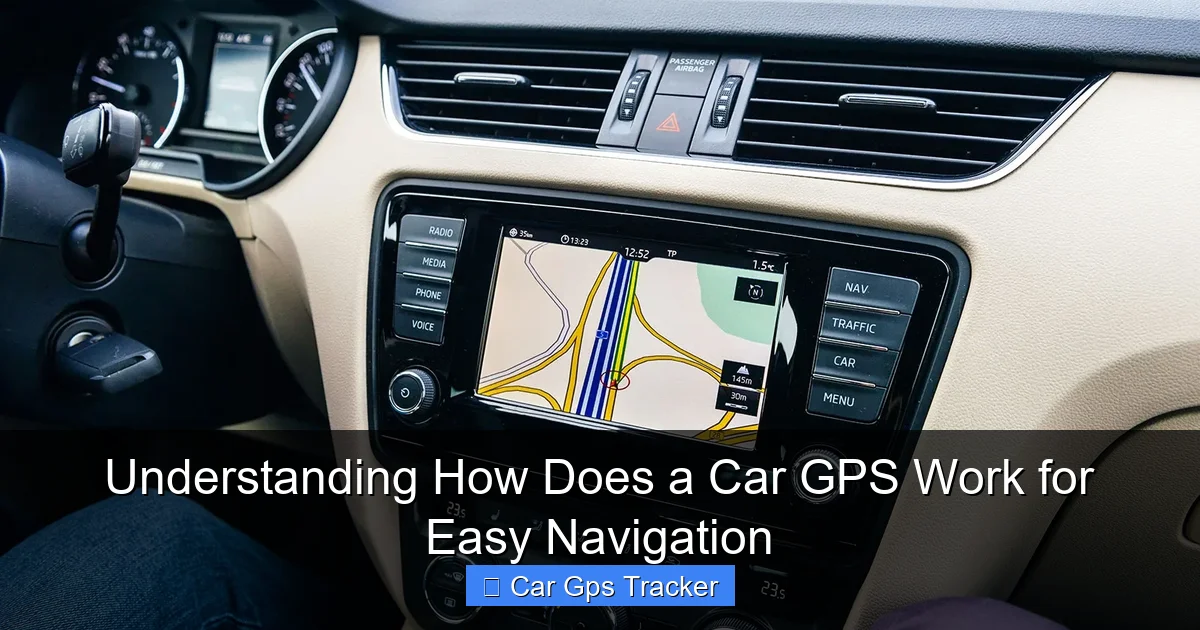
Visual guide about Understanding How Does a Car GPS Work for Easy Navigation
Image source: cdn.britannica.com
How Does a Car GPS Work?
To grasp how a car GPS operates, let’s break it down into several components:
1. Satellite Signals
The foundation of GPS technology lies in a network of satellites orbiting the Earth. These satellites continuously transmit signals that your GPS receiver can pick up. There are currently more than 30 GPS satellites in operation, ensuring global coverage.
2. Triangulation
Your GPS device determines your exact location through a process called triangulation. Here’s how it works:
- Receiving Signals: Your GPS receiver picks up signals from at least four satellites.
- Calculating Distance: The device calculates how far away each satellite is based on the time it takes for the signals to reach it.
- Determining Location: Using this distance data, the GPS triangulates your precise location on the Earth’s surface.
3. Mapping Data
Once your GPS knows your location, it needs mapping data to provide directions. This data is stored in the device or downloaded from the internet. Here’s how it works:
- Map Storage: Most GPS systems come preloaded with maps, but you can update them to include new roads and changes.
- Route Calculation: The GPS analyzes the map data and calculates the best route from your current location to your destination.
Using Your Car GPS Effectively
To make the most out of your car GPS, follow these steps:
1. Setting Up Your GPS
Before hitting the road, it’s essential to set up your GPS:
- Power On: Turn on your device and allow it to acquire satellite signals, which may take a few minutes.
- Input Destination: Use the touchscreen or voice command to enter your destination. Make sure to double-check for accuracy.
- Choose Route Preferences: Select preferences such as avoiding tolls or highways if desired.
2. Following Directions
Once your GPS is set up, it will provide turn-by-turn directions. Here are some tips to follow:
- Listen to Voice Prompts: Pay attention to the voice guidance for a smoother driving experience.
- Visual Cues: Keep an eye on the screen for upcoming turns and lane changes.
- Stay Updated: If your GPS provides real-time traffic updates, be prepared for possible route changes.
3. Updating Your GPS
To ensure your GPS provides accurate navigation, it’s crucial to keep it updated:
- Check for Updates: Regularly check your device and the manufacturer’s website for map updates.
- Software Updates: Ensure that your GPS device’s firmware is up to date for optimal performance.
Troubleshooting Common GPS Issues
Sometimes, your GPS may not work as intended. Here are some troubleshooting tips:
- Weak Signal: If you’re in an area with tall buildings or dense trees, move to a more open space for better satellite reception.
- Device Not Found: Make sure your GPS is powered on and has been allowed to acquire satellite signals.
- Inaccurate Directions: Check to ensure your maps are updated and that you’ve entered your destination correctly.
Conclusion
Understanding how a car GPS works can enhance your driving experience by providing reliable navigation and traffic updates. By knowing how GPS satellites function, how to use your device effectively, and troubleshooting common issues, you can navigate with confidence. Always remember to keep your device updated and set it up safely before starting your journey. Happy driving!
🎥 Related Video: How GPS Works Today
📺 BRIGHT SIDE
Once upon a time, your ancestors used to look at the night sky to determine their location. Then we used a Thomas Guide, …
